
Legal
Editora by Text: SMS Program and Opt-In
What this program is
Editora by Text lets Editora customers request a listing video by texting a property address to Editora at +1 715-334-8672. Editora replies with service messages only: a confirmation that the video is being made, the finished video link, and options related to that video. Editora does not send marketing or promotional texts from this number, and Editora only texts numbers that have texted it first.
How to opt in from the Editora app
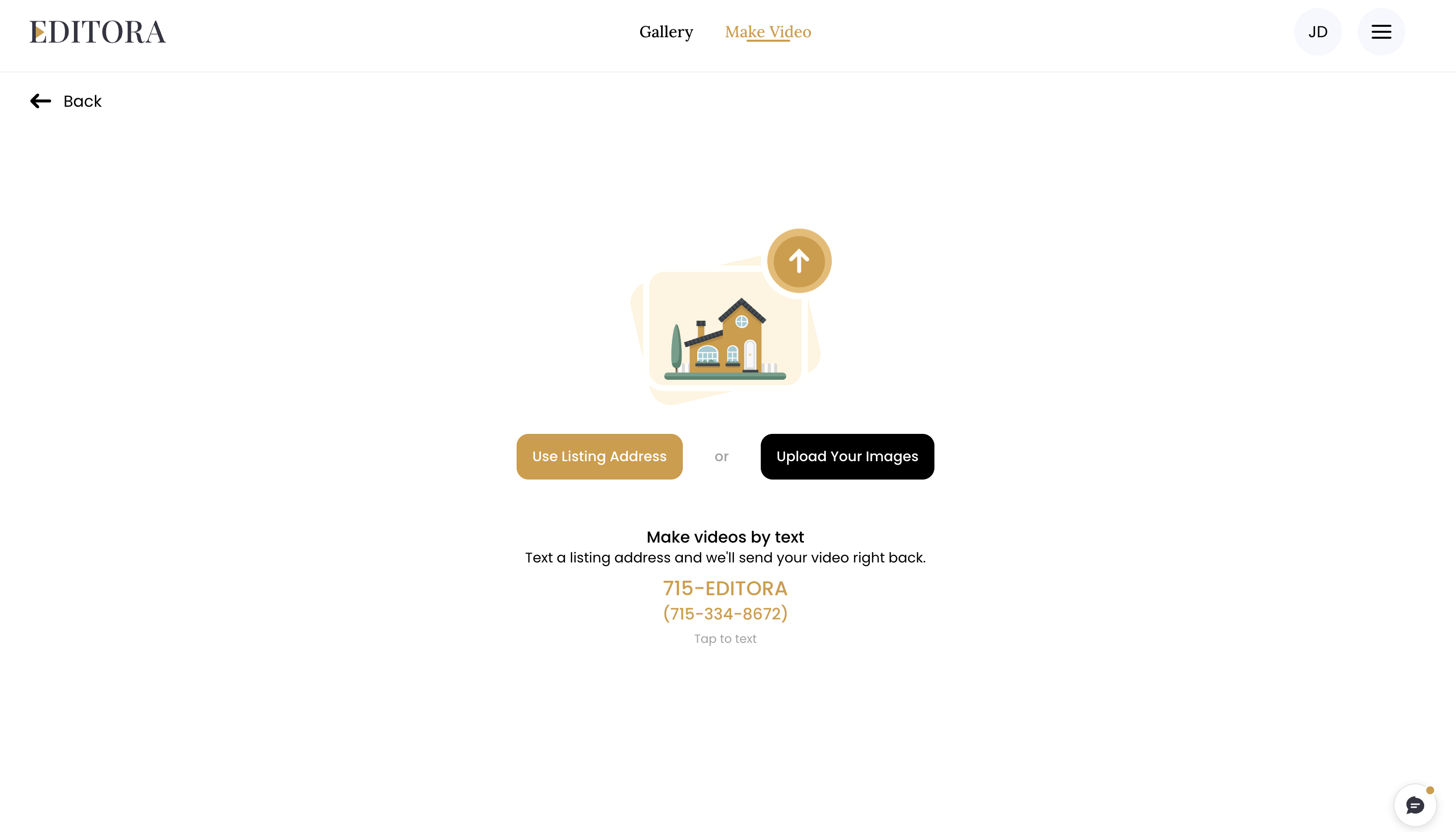
1. Sign in to Editora (the iPhone app or app.editora.ai) and open Make Video.
2. Below the “Use Listing Address” and “Upload Your Images” buttons you will see the heading “Make your next video by text”, the lines “Connect your phone once, then text a listing address from anywhere.”, the gold number “715-EDITORA” with “(715-334-8672)” directly beneath it, and the words “Tap to connect”. Tap the number. (This section appears once your account has made a video.)
3. Your phone’s Messages app opens with a new message to +1 715-334-8672. The message is pre-filled with the word JOIN followed by a 4-character code, for example “JOIN K7PX”. The code links your phone to your Editora account. The same code is also shown on the Make Video screen, so you can text it by hand if Messages does not open.
4. Nothing is sent until you press Send. Pressing Send is your opt-in.
5. Editora replies with this confirmation:
Editora: You're connected. Text a property address any time and I'll make the video. For accurate results, include the city and any unit number. Msg frequency varies. Msg & data rates may apply. Reply HELP for help, STOP to opt out.
How to opt in by texting JOIN
You can also text the word JOIN to +1 715-334-8672 from your phone. Editora replies:
Editora: You're opted in to Editora texts. To connect your Editora account, open Editora, go to Make Video, and tap '715-EDITORA (715-334-8672).' Msg frequency varies. Msg & data rates may apply. Reply HELP for help, STOP to opt out.
Texting JOIN on its own opts you in but does not connect an Editora account. To connect it, open Editora, go to Make Video, and tap the “715-EDITORA (715-334-8672)” number as described above.
What you will receive
After you text a property address, Editora replies that it is making the video, then texts the finished video link. If the address is unclear, Editora may first text to confirm it. Editora may also reply with options for that video, such as a new version or a different opening title. Message frequency varies and depends on how many videos you request. Message and data rates may apply.
Help
Reply HELP to any message, or email [email protected]. When you reply HELP, Editora sends:
Editora: Text me a property address and I'll make your listing video. For accurate results, include the city and any unit number. Reply REMIX for a new version, TITLES to change the opening title, EDIT to change anything else. For help: [email protected]. Msg & data rates may apply. Reply STOP to opt out.
How to stop
Reply STOP to any message to opt out. You will receive one final confirmation:
Editora: You've opted out and will get no further messages from this number. Reply START to opt back in.
CANCEL, QUIT, END, and UNSUBSCRIBE also opt you out. Reply START to opt back in; Editora confirms: Editora: You're opted back in. Reply HELP for help or STOP to opt out. Msg & data rates may apply.
Your consent and your information
Consent to receive text messages is not a condition of purchasing any Editora product or service. Mobile phone numbers and SMS opt-in consent are not shared with third parties or affiliates for marketing or promotional purposes.
Privacy Policy: https://www.editora.ai/privacy-policy/
Terms and Conditions, including SMS Terms: https://www.editora.ai/terms-and-conditions/